
Overview: Is That a Scanner in Your Rig?
Ever wonder if truckers still use police scanners, or if it’s all just phone apps now? Well, for those of us out here on the road, a good scanner is still one of the most valuable tools in the cab. It’s about getting real-time, unfiltered information right from the source. We’re talking about hearing about accidents, traffic jams, and severe weather the moment they’re dispatched, often long before your navigation app gets the update.
Now, let’s get one thing straight right off the bat: the law. Owning a police scanner is federally legal, but a few states have rules about using them in your vehicle. Don’t worry, it’s not complicated, and we’ll cover all the details you need to know to stay on the right side of the law.
In this guide, I’m going to break it all down for you, driver-to-driver. We’ll look at why you need a scanner, which brands and models are best for a life on the road, how to get it set up in your rig for a hands-free experience, and the legal tips to keep you rolling without any trouble.
Why Use a Police Scanner?
A scanner is more than just a gadget; it’s a tool that gives you a major advantage on the road. Here’s how it helps.
- Get Ahead of Traffic Jams: A scanner lets you hear accident reports and road blockages directly from the highway patrol or local police dispatch. You get the information in real-time, often giving you the chance to find an alternate route before you’re stuck in a shutdown.
- Monitor Weather Conditions: Forget waiting for the radio forecast. Your scanner can pick up NOAA weather channels, typically found around 162 MHz, and listen in on Skywarn nets, giving you immediate alerts for severe weather like tornadoes or hurricanes right in your path.
- Stay Aware of Law Enforcement Activity: You can hear about active police situations, know where highway patrol units are concentrating their efforts, and get a heads-up about checkpoints. It’s all about situational awareness.
- Know About Road Work: Listening to dispatches for the state DOT or public works can give you an early warning about upcoming lane restrictions or construction zones that haven’t shown up on your GPS yet.
- Break the Monotony: Let’s be honest, long stretches of quiet highway can get old. Listening in on local chatter can provide a bit of entertainment and help you feel more connected to the areas you’re passing through.
Top Brands for Truckers
When it comes to scanners, two names stand out: Uniden and Whistler.
Uniden is the biggest player in the game, controlling about 75% of the market. They are highly recommended for drivers because they invest heavily in technology, especially their GPS capabilities. Their investment in GPS tech means the scanner does the work for you, automatically switching frequencies as you cross county lines. That’s less time with your hands off the wheel and more time with your eyes on the road.
Whistler is the second-largest manufacturer and offers solid, reliable alternatives to Uniden.
For truckers who want an all-in-one solution, the Uniden Beartracker 885 is a popular choice. It’s a hybrid unit that combines a full-featured CB radio with a digital police scanner, saving you valuable space in the cab.
Recommended Models for Your Rig
Here are a few of the best models out there, broken down by how you’d use them in your truck.
Uniden
Installed Model: Uniden SDS200
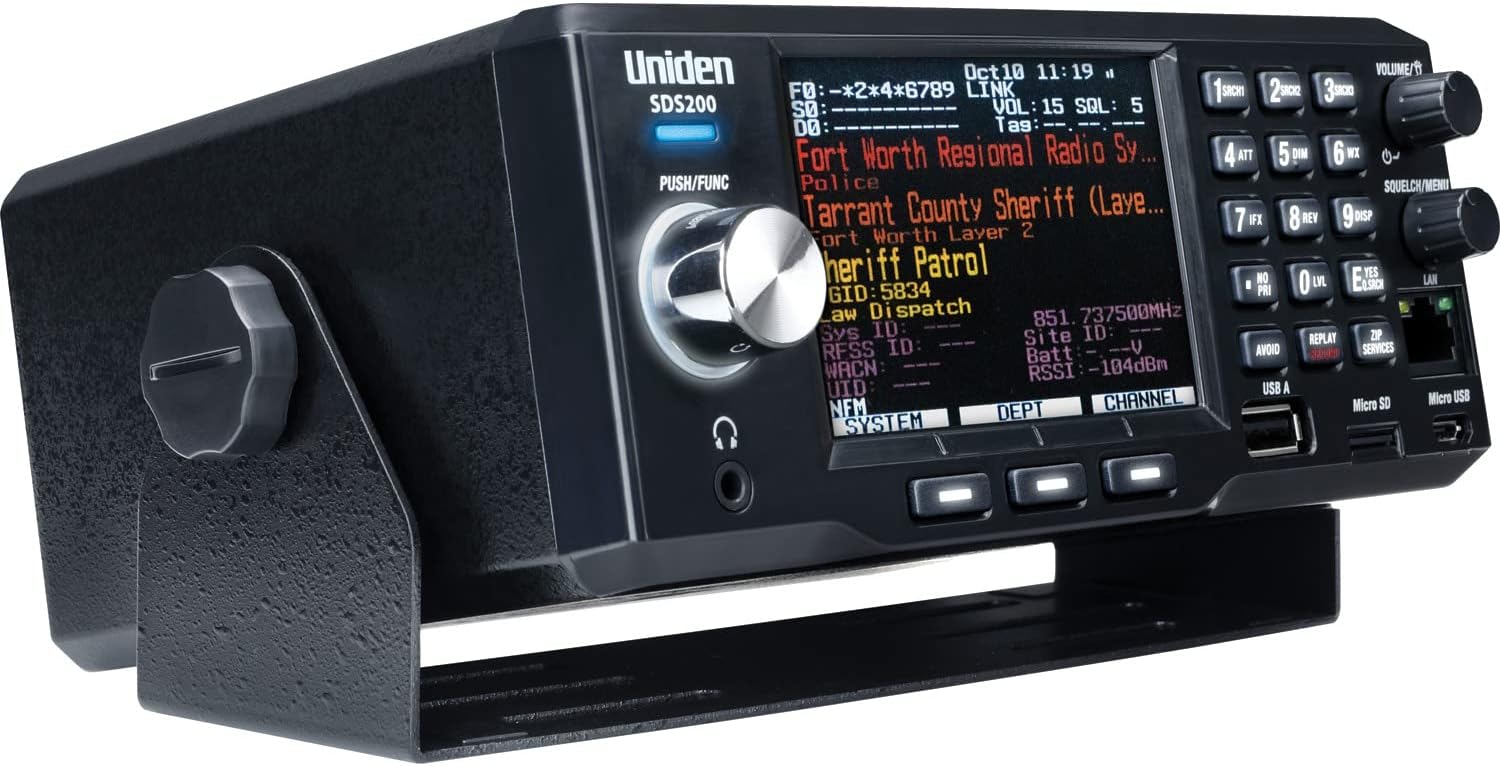
- Features: This is considered by many to be the “best scanner money can buy.” It features location-based scanning, meaning it uses a GPS receiver to automatically tune to local channels as you drive. It has a large, customizable screen and uses True I/Q technology to handle the simulcast distortion that can garble transmissions from modern digital radio systems. All the connectors are on the rear, making for a nice, neat installation. It can listen to police, fire, ambulances, and even federal agencies.
- Best Use Case: Professional drivers who travel cross-country and need a scanner to adapt automatically to different radio systems without any fuss. Taken together, these features create a truly ‘set it and forget it’ system that lets a cross-country driver focus on the road, not the radio.
- Price Range: This is a top-tier model. It’s “not cheap” and “a bit of an investment.”
Handheld Model: Uniden SDS100

- Features: This handheld has the same powerful True I/Q and TrunkTracker features as the big SDS200 but in a portable, durable package. For the best reception in your rig, you can pair it with an external magnetic mount antenna on the roof.
- Best Use Case: Drivers who need the flexibility to take their scanner with them, whether it’s into the truck stop, a hotel, or if they switch between different trucks.
- Price Range: As a premium handheld, it’s a serious investment, but it packs all the power of the larger mobile units into a portable form factor.
CB/Scanner Combo: Uniden Beartracker 885
- Features: This is a true hybrid, combining a CB radio and a digital police scanner into a single unit.
- Best Use Case: Drivers who want an all-in-one communications unit to save space and simplify the wiring in their cab.
- Price Range: You’ll have to check current pricing, but remember you’re getting a CB and a high-quality digital scanner in one box, saving you both money and dashboard space.
Whistler
Installed Model: Whistler TRX-2
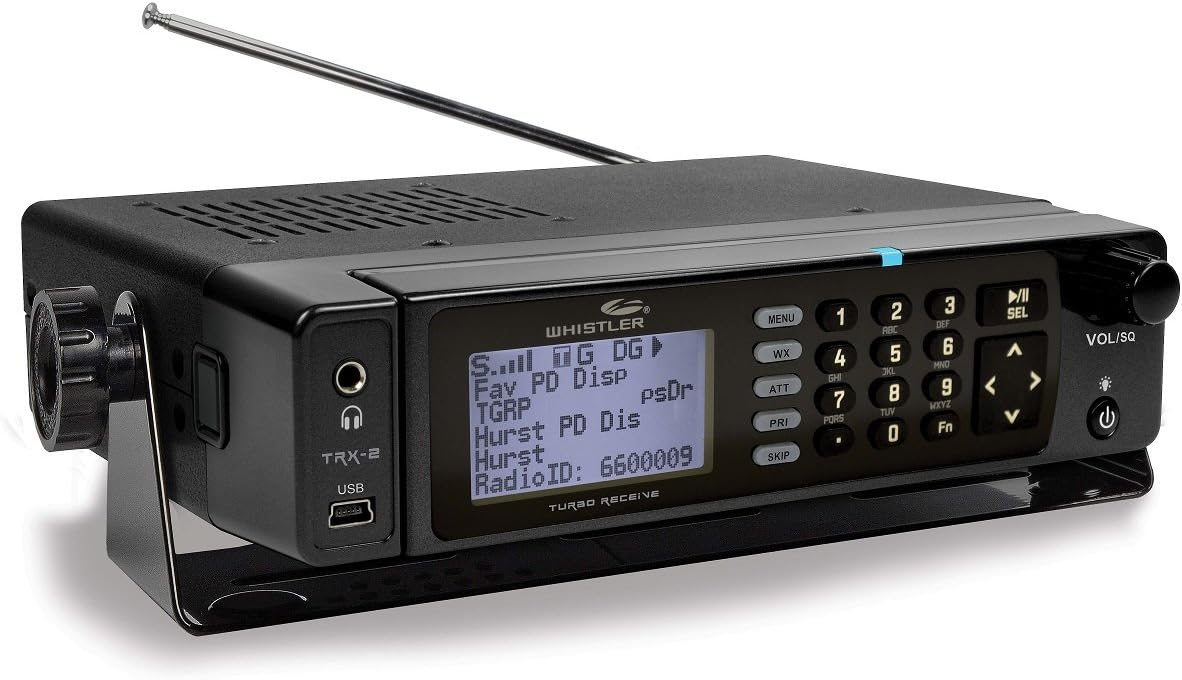
- Features: This is a software-defined radio (SDR) based desktop/mobile digital scanner that can handle a wide range of frequencies.
- Best Use Case: A solid digital mobile option for drivers looking for a capable and reliable alternative to Uniden.
- Price Range: A solid and more budget-friendly digital mobile option compared to the top-tier Uniden models.
Handheld Model: Whistler TRX-1
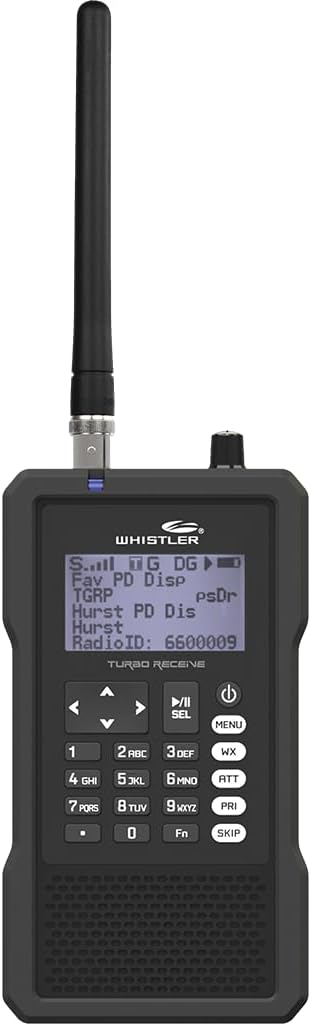
- Features: This handheld is capable of monitoring all digital formats and comes with a protective case to keep it safe on the road.
- Best Use Case: A budget-friendly but capable digital handheld scanner that gets the job done.
- Price Range: Considered one of the “Best Cheap Digital” scanners available.
How to Set Up a Scanner in Your Rig
Getting your scanner installed and programmed for the road is easier than you think. Here’s a simple, step-by-step guide.
- Mount the Unit and Antenna A proper mount and a good antenna are non-negotiable for good performance. For mobile units like the SDS200, use the included bracket to mount it securely in your cab where it’s easy to see but not a distraction. For handhelds, a simple magnetic air vent mount works surprisingly well. The most important part is the antenna. Ditch the stock rubber one and get an external antenna. The best option is a magnetic mount antenna on the roof of your cab. Mirror mounts are also very popular with semi-truck drivers and work great.
- Connect Power and Audio Connect the scanner to your truck’s 12V power supply, usually through the cigarette lighter plug. Pro Tip: If you wire your scanner directly to the ignition, make sure you turn off the “replay” or recording function in the settings. If it’s on, shutting the truck off can interrupt a file being saved and corrupt your SD card over time. The built-in speakers on some scanners can be quiet. For loud, clear audio, run a simple audio cable from the scanner’s headphone jack to your truck radio’s aux-in port. If you don’t have an aux-in, an FM transmitter will also work to send the scanner audio through your truck’s speakers.
- Program Your Frequencies for the Road This is where modern Uniden scanners really shine for truckers. By connecting a GPS receiver, they can automatically update channels as you drive. You have two ways to program:
- Full Database: This is the easy way. You just enter your ZIP code, and the scanner loads everything in the area. The problem is, it scans everything—including a lot of channels you don’t care about. This slows down the scan speed and can cause you to miss important transmissions.
- Favorites List (Recommended for Truckers): This is the best method for life on the road. You create a custom scan list with only the specific channels you want to hear, like State Police, Highway Patrol, and state DOT. This makes your scanner work much more efficiently, ensuring you catch the critical calls.
- How to Create a Travel-Focused Favorites List:
- First, do your homework on RadioReference.com. It’s a free database with all the frequencies you’ll need. Look up the agencies you want to monitor along your main routes, like the State Police and public works departments.
- Next, use the free software that came with your scanner (like Uniden Sentinel) on a computer. It’s much easier to create your custom list on the PC and then load it onto the scanner’s SD card than to punch in hundreds of frequencies by hand.
- Finally, go into your scanner’s menu and enable GPS scanning specifically for that new Favorites List you created. Now, as you drive, it will automatically turn on and off the right channels from your custom list based on your location.
Legal and Safety Tips
Using a scanner is a great tool, but you need to be smart and safe about it.
- Check the Law State-by-State: Owning a scanner is federally legal. However, using one in a vehicle is restricted while driving in five states: Florida, Indiana, Kentucky, Minnesota, and New York. If you have a valid amateur radio (HAM) license, you are often exempt from these restrictions.
- Avoid Extra Penalties: In about ten other states, using a scanner in the commission of a crime will get you extra penalties. The bottom line is simple: don’t be a criminal.
- Operate Safely: Your primary job is to drive the truck. Set up your scanner with GPS so it’s a hands-free tool. Don’t be fiddling with knobs and buttons while you’re rolling down the highway.
- Be Discreet: If you get pulled over, even in a state where it’s perfectly legal, don’t have the scanner audio blaring. It’s just common sense. It’s also a good idea to cover the unit when you’re parked to discourage theft.
Final Thoughts & Tips from the Road
Here’s the real deal from someone who’s been running with a scanner for years.
You’ll hear talk about encryption, and it’s true that a lot of big-city police departments are moving to it. But don’t let that discourage you. There is still a “ton of stuff ‘in the clear’ to listen to.” This includes most fire departments, EMS, rural sheriff’s offices, public works, and even aviation and rail traffic. There’s always something to hear.
The single best thing you can do to improve your scanner’s performance is to use an external antenna. It makes a world of difference. Your typical reception range will be 10-20 miles, but with a good antenna, you can easily pick up strong state police transmitters from over 50 miles away.
So that’s the rundown. Technology keeps changing, but a good scanner is still a lifesaver out here. What are you running in your rig, and what’s the one tip you’d give a driver just starting out with one?